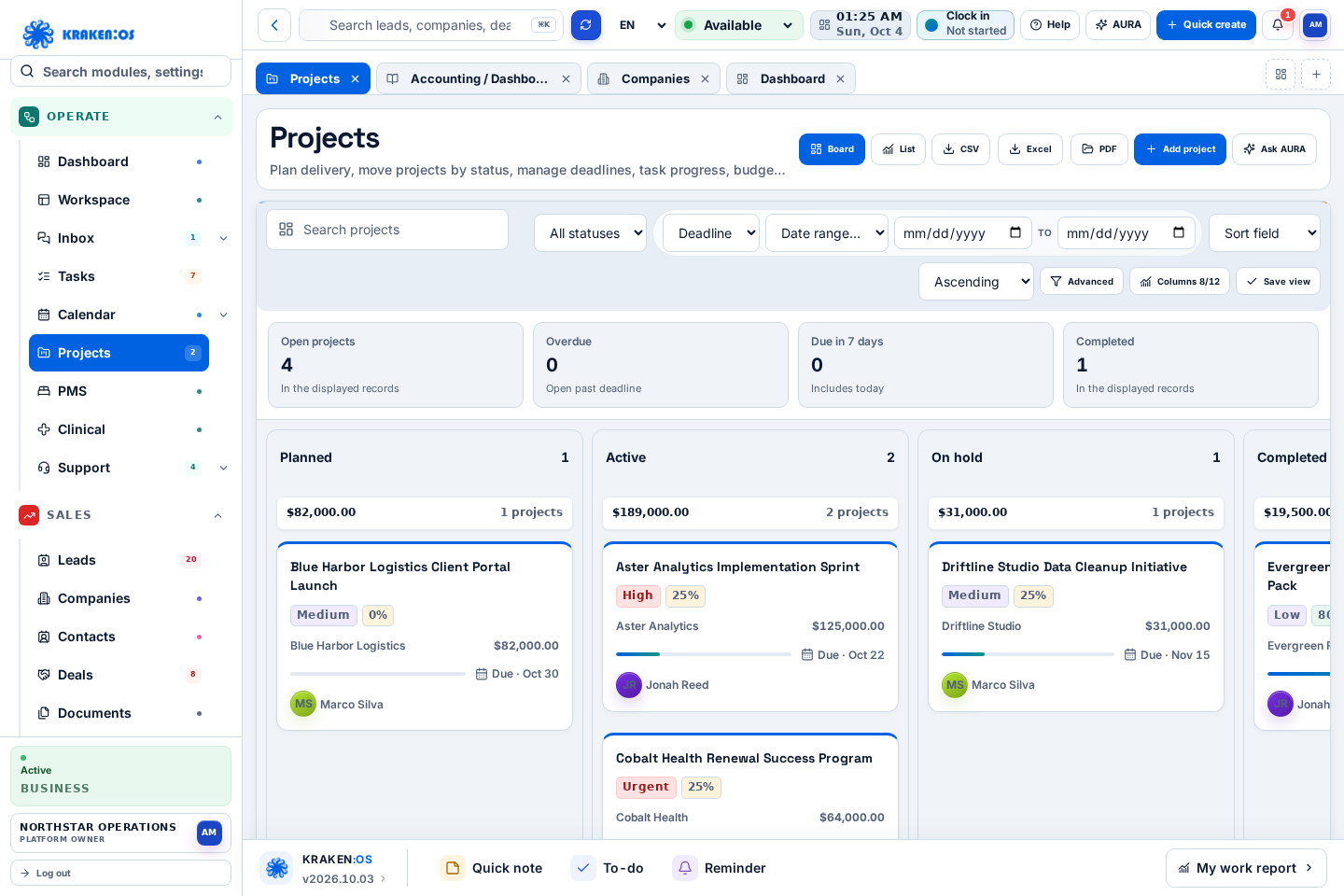
Give project teams one place for tasks, materials, approvals and purchasing, with the supplier and financial records behind the work. Advanced project registers and client sharing must be enabled on your company license.
Kraken interface · sample data · shown in English.
YOUR WORK, STEP BY STEP
01
Plan a project your team can follow
Review projects across board, timeline and list views. Break work into tasks, track dependencies and keep responsibilities visible. Structured registers hold measurements, risks, site reports, required documents and changes alongside the delivery plan.
02
Turn material requirements into purchasing
Link a requirement to a saved product, warehouse and preferred supplier. Search materials by name or SKU while building a purchase request. Review quantities and costs before approval. Editing an approved request returns it for approval, so an old approval cannot authorize changed quantities.
03
Track deliveries without losing the history
Follow requested, approved, ordered, partially received and received stages. Record only the quantities delivered now and keep delivery references with the order. Stock receipts stay connected to the project; cancelled outstanding quantities do not remove goods already received.
04
Connect clients and Finance to delivery
Share selected updates and files through project client access and retain approval decisions. Received goods can produce a linked draft supplier bill for finance review. Delivery commitments and unbilled receipts are shown separately, so the same material cost is not simply added twice.
Yes. Record the quantities received for each order line. The remaining quantity stays outstanding until it is received or cancelled.
Which modules are needed for purchasing?
Connected project purchasing requires Projects with advanced features enabled on your company license, along with Stock, Accounting and the user permissions for the actions involved.
See how your business works in Kraken.
Walk through your own sales, delivery and finance process in a guided demonstration.